GLPI features requests on userecho has been discontinued, please use https://github.com/glpi-project/roadmap/discussions to submit your suggestions

 Add a configuration option for New Item to be Recusively visible or not : Child Entities : Yes or No

Add templates for the form Ask for validation
Hello dear friends.
Many thanks to you for the development and improvement of the GLPI.
GLPI provides very convenient templates for solution and comments in tickets.
It is very convenient and simplifies and speeds up the work with tickets.
But it is very inconvenient that the template functions are not provided for sending a validation request.
It would be nice if you could add the ability to use templates for validation requests similar to follow-up or ticket solutions.
It would also be convenient if you could specify a specific approver for each validation request template.
We, as well as all GLPI users, would be very grateful if you could implement this template function in a validation request.

Add meta properties to display in previews of shared links
The thing is, when you share a link copying URL, you expect to share link with title:
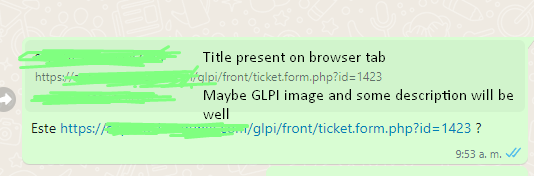
I think can be created some interfaces to give data on each class, it has to look like this:
<meta property="og:title" content="Example Page">
<meta property="og:image" content="https://example.com/images/image.jpg">
<meta property="og:description" content="This is just an example page.">
<meta property="og:url" content="https://example.com/page.html">
And then link sharing will be looks like:


SMTP Server by entity
Add a different smtp server per entity in order to send email notification on différents domains.
For example: A common GLPI server for two companies with differents domains
Best regards

Add User Button
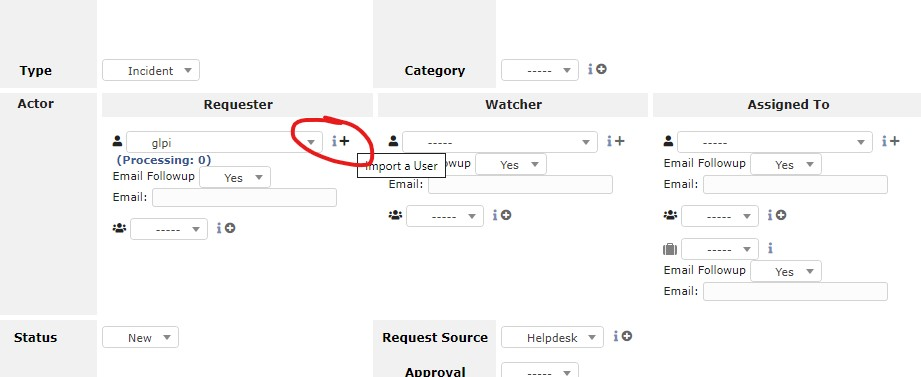
When opening a ticket and selecting the Requester, the "plus" button refers to "Import A User" when it would be more practical to be "Add User", so you can add a new user without leaving the ticket.

See changes, problems and projects
Have the ability to manage in profile configuration so that standard users (who have the simplified profile interface) can see changes, problems, and projects. (ITIL object) Without being able to modify.

Asset Depreciation
I have not seen any tickets related to depreciation support. I really enjoy working with GLPI, but one of features that I think would be very useful is the incorporation of depreciation. Many ITSM projects incorporate some sort of straight line depreciation reporting. It looks like this was brought up in 2010 https://forum.glpi-project.org/viewtopic.php?id=21692
This would be a great feature in the Management field with either "Depreciation Rate" or set the rate based on asset type like "Computers - 5 year depreciation"
It would be nice to then pull reports on current assets values. Let me know if I'm missing some configuration, but based on my testing there is only currently Amortization support.


 Assign power supply to phone
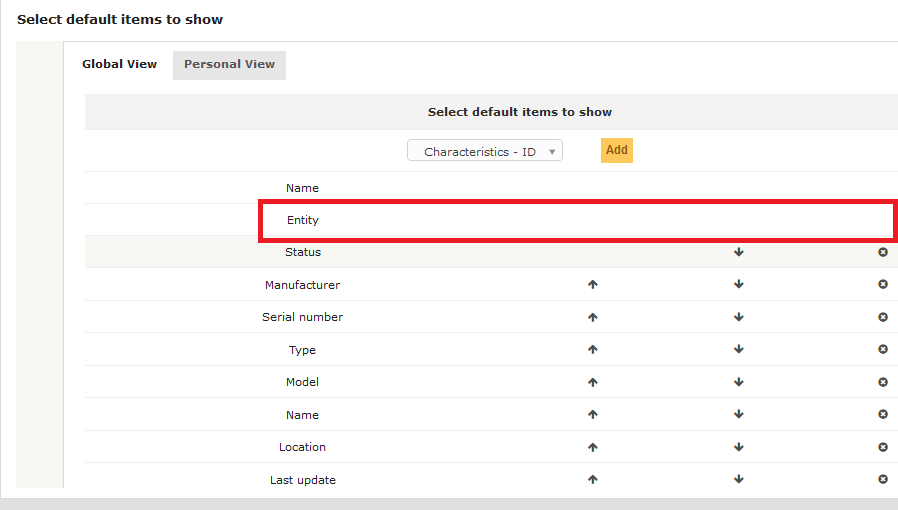
When a power supply is assigned to an phone (only possible from components, not from phone) it will not shown components)

Add "last requester added" to the recipients'notification
The current behavior:
When a major incident occurs, we receive a lot of call. The best practice is to create a ticket for the first caller and add each next callers as requester to this ticket.
Today GLPI allow to setup the sending of a notification to the “requester” based on the event “ticket creation”. Which means that the first user receive a notification.
GLPI allow also to setup a notification to the “requester” based on the event “New user in requesters” but this means that
- When adding user 2, the users 1 receives a second notification and the users 2 receives a first notification.
- When adding user 3, the users 1 receives a third notification, the users 2 receives a second notification and the users 3 receives a first notification.
- And so on…, when adding 20 users to a ticket, the user 1 receive 21 notifications…
As a consequence, we may not setup the notification to added users based on the event "new user in requesters"... Only the first user is notified.
The good news is that it is already possible today to send a notification automatically to each caller when the technician solve the incident.
My idea:
by adding a recipient “last requester added" to the recipient’s notification, we would be allow to send a notification to the added users only.
In this way, each users would be informed once when calling.
Merci à Jean-Mathieu, Julien et Bazile et tous les contributeurs pour GLPI :) and thank you for reading me.
Malamort
on GLPI 9.2
Customer support service by UserEcho